Download Dashboard Cam free on android
APK file Dashboard Cam 7.0.5How to install APK / APKS / OBB file on Android

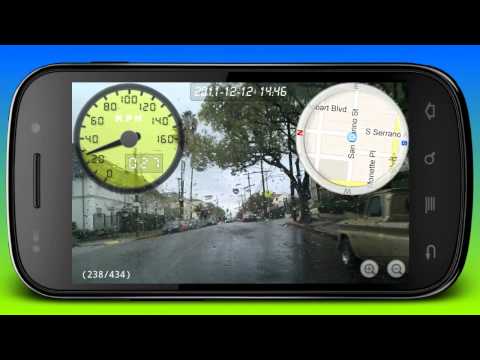

Dashboard Cam Main Functions
Gps data recording.
Video with Gps recording mode.
Photo with Gps recording mode.
Driving statistic saving.
Hard acceleration event.
Hard stop event.
Device sensor event.
SD Card saving options.
Enhanced recording replay.
NOTE: many of the functions included in previous versions have been removed for the Version 6.2.0 or later.
To use old functions, please visit developer's web site.
http://www.busywww.com
IMPORTANT NOTES for older version app (older than version 6.2.0)
If app shows error when opening the main, please follow bellow methods.
Newer android version needs following instruction to fix errors.
There is error on the Google Map display.
1. Download app
2. Open Advanced Mode
3. On the menu, select Settings (App Settings)
4. Click Reset Display
5. Uncheck (remove check mark) on the Map item under Show Hide Items.
Or, please download newer Dashboard Cam 2 version.
View and load generated driving reports.
Enhanced recording selection modes for review and replaying records.
- LicenseFree
- File nameDashboard Cam
- File Version7.0.5
- Package namecom.busywww.dashboardcam
- Size9.25 MB
- UploadedJuly 20, 2023
- Android5.0 or later
- CategoryMaps & Navigation
- DeveloperBusy WWW
- Developer site
- Developer emailbusywww@gmail.com
- md5 hashc543bcc138d93218b7f8a1223576d837
- Architecture-
- Permissionsshow (12)